

 Verified

What is Thinkforce? How It Works, Use Cases & Alternatives In 2026, AI tools are no longer optional for businesses. […]
AI Categories: AI Chatbots, Personal Assistant, Workflows,
AI Tags: #ai chatbots #personal assistant #workflows
What is Thinkforce? How It Works, Use Cases & Alternatives
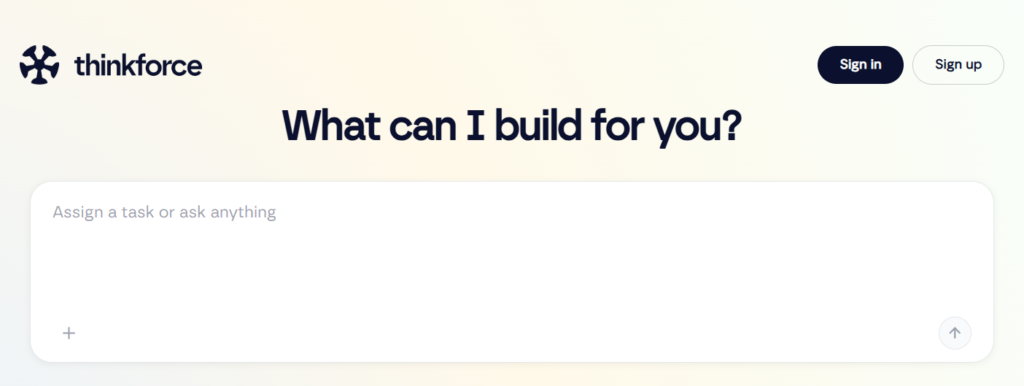
In 2026, AI tools are no longer optional for businesses. They are part of daily work. One of the tools gaining attention is Thinkforce.
Thinkforce is an AI-powered assistant that helps users manage tasks, answer business questions, and improve workflow speed. It uses GPT-4 technology to deliver fast and reliable responses.
This tool is mainly designed for businesses, teams, and professionals who want to save time and reduce manual work. From small startups to large companies, Thinkforce helps improve productivity. If you deal with projects, content, customer support, or data, Thinkforce can make your work easier and faster.
What is Thinkforce?
Thinkforce is a smart AI chatbot and digital assistant built to support business operations. It is more than just a chat tool. It works like a virtual team member.
It solves common problems like slow decision-making, repetitive tasks, and scattered data. Instead of switching between tools, users can manage everything in one place.
The main purpose of Thinkforce is to help users work smarter. It gives quick answers, organizes information, and automates simple tasks. This reduces workload and improves efficiency. In simple words, Thinkforce is designed to help people make better decisions in less time.
How Does Thinkforce Work?
Core Technology Behind Thinkforce
Thinkforce is powered by GPT-4 technology. This allows it to understand natural language and respond in a human-like way. It also learns context, which helps it give more accurate answers.
It connects with different tools and data sources. This means it does not rely only on general knowledge but can use your own data too.
How It Processes User Input
When a user types a question or command, Thinkforce analyzes it in real time. It breaks the sentence into meaning-based parts. Then it searches its AI model and connected data sources.
For example, if you ask about sales performance, it can pull structured insights instead of giving general answers.
How It Generates Output
After processing the input, Thinkforce creates a clear and structured response. It may include summaries, suggestions, or step-by-step instructions. The output is designed to be simple, even for non-technical users. This makes it useful for daily business tasks.
What Can You Do with Thinkforce?
Thinkforce is a multi-purpose AI tool. You can use it in many ways:
- Ask business questions and get instant answers
- Generate ideas for marketing and content
- Automate repetitive office tasks
- Analyze data and reports
- Fix technical issues quickly
- Plan projects and workflows
For example, a marketing team can use Thinkforce to generate campaign ideas in seconds. A support team can use it to solve customer issues faster.
How Are People Using Thinkforce?
Thinkforce is used across many industries. Here are some real-world examples:
- Small businesses: For decision-making and daily operations
- Tech support teams: To solve technical problems quickly
- Project managers: To track tasks and manage workflow
- Content creators: For writing ideas and brainstorming
- Nonprofits: For managing donor data and reports
- Schools and universities: For automating administrative tasks
For example, a project manager using Trello can connect Thinkforce to track progress and get instant updates.
How to Use Thinkforce?
Step-by-Step Guide
Using Thinkforce is simple:
- Sign up on the platform
- Choose a plan (free or paid)
- Connect your tools or upload data
- Start asking questions or assigning tasks
- Use AI suggestions to improve workflow
Tips for Beginners
- Start with simple questions first
- Upload small data sets before scaling
- Explore integrations step by step
- Use templates for faster results
Common Mistakes to Avoid
- Uploading messy or unorganized data
- Ignoring integration features
- Expecting perfect results without setup
- Not exploring automation options
How to Access Thinkforce?
Thinkforce is mainly available through:
- Web platform (browser access)
- API integration for developers
- Business tools integrations
It is designed to work online, so a stable internet connection is required. Most users access it through the desktop for full features.
Key Features of Thinkforce
Thinkforce includes several powerful features:
- GPT-4 powered AI responses for accurate answers
- Data integration to build custom knowledge base
- App integrations like Trello and Asana
- Task automation for repetitive work
- Business insights generation for decision support
- Troubleshooting support for technical issues
- Brainstorming tools for ideas and creativity
These features help users reduce manual effort and improve productivity.
Thinkforce Pricing
Free Plan
- $0 per month
- 100 daily credits
- Limited feature access
Paid Plans
- Basic: $20/month (1000 credits)
- Pro: $50/month (8000 credits)
- Premium: $100/month (20000 credits)
Each higher plan gives more credits and full feature access.
Is It Worth It?
For individuals and businesses who need daily AI support, Thinkforce can be worth the cost. The automation and time-saving features often justify the pricing, especially for teams.
Rating Summary
- Ease of Use: 4.2/5
- Features: 4.7/5
- Pricing: 4.6/5
- Performance: 4.4/5
- Overall: 4.4/5
Thinkforce performs well as an all-in-one business assistant.
Benefits of Thinkforce
Thinkforce offers several practical benefits:
- Saves time by automating tasks
- Improves decision-making with AI insights
- Reduces workload for teams
- Helps generate creative ideas
- Connects multiple tools in one place
- Improves productivity across departments
For example, instead of manually analyzing reports, Thinkforce can summarize them instantly.
Limitations of Thinkforce
Like any tool, Thinkforce has some drawbacks:
- Takes time to learn advanced features
- Free plan has limited daily credits
- Needs stable internet connection
- Some features may feel complex for beginners
These limitations are manageable but important to consider.
How Accurate is Thinkforce?
Thinkforce is generally accurate because it uses GPT-4 technology and connected data systems. It performs well in business-related tasks like summarization, reporting, and task automation.
However, like all AI tools, it may sometimes produce general answers if the input data is unclear. Proper setup improves accuracy significantly.
Best Alternatives to Thinkforce
If you want other options, here are some alternatives:
- ChatGPT: Best for general AI chat and content creation
- Windsurf: Focused on workflow and developer productivity
- Humata AI: Strong for document and file-based Q&A
- Andi: Simple AI search and assistant tool
Each tool has its own strengths. ChatGPT is more general, while Thinkforce is more business-focused.
Latest Updates (2026)
In 2026, tools like Thinkforce are becoming more integrated with business platforms. The trend is moving toward full automation and AI-driven workflows.
Users now expect AI tools to not just answer questions but also perform tasks directly inside apps. Thinkforce is aligned with this trend by improving integrations and automation features.
FAQs
Is Thinkforce free?
Yes, it has a free plan with limited daily credits.
Is it safe to use?
Yes, it uses secure systems for data handling and integration.
Who should use Thinkforce?
It is best for businesses, teams, project managers, and content creators.
What makes it different?
Its strong focus on workflow automation and business integration makes it different from basic AI chatbots.
Final Thoughts
Thinkforce is a powerful AI assistant designed for modern business needs. It helps users automate tasks, improve decision-making, and manage workflows more efficiently.
While it has some limitations, its benefits make it a strong choice for professionals and teams in 2026. If you want an AI tool that goes beyond simple chat and actually supports real work, Thinkforce is worth considering.
Thinkforce Reviews
No reviews yet. Be the first to comment!
Best Thinkforce Alternatives AI

What is PDF.ai? How It Works, Use Cases & Alternatives Managing PDF…
What is Afforai? How It Works, Use Cases & Alternatives In 2026,…

What is Skipit.ai? How It Works, Use Cases & Alternatives Skipit.ai is…

What is Metaforms? How It Works, Use Cases & Alternatives Metaforms is…

What is Fluent? How It Works, Use Cases & Alternatives Fluent is…

What is Mindgrasp AI? How It Works, Use Cases & Alternatives Mindgrasp…

What is Claude? How It Works, Use Cases & Alternatives Claude is…

What is Laion? How It Works, Use Cases & Alternatives Laion is…
Leave a Reply