

 Verified

What is Transkriptor? How It Works, Use Cases & Alternatives Transkriptor is a smart AI tool that turns audio and […]
AI Categories: Personal Assistant, Summarizer, Transcriber,
AI Tags: #personal assistant #summarizer #transcriber
What is Transkriptor? How It Works, Use Cases & Alternatives
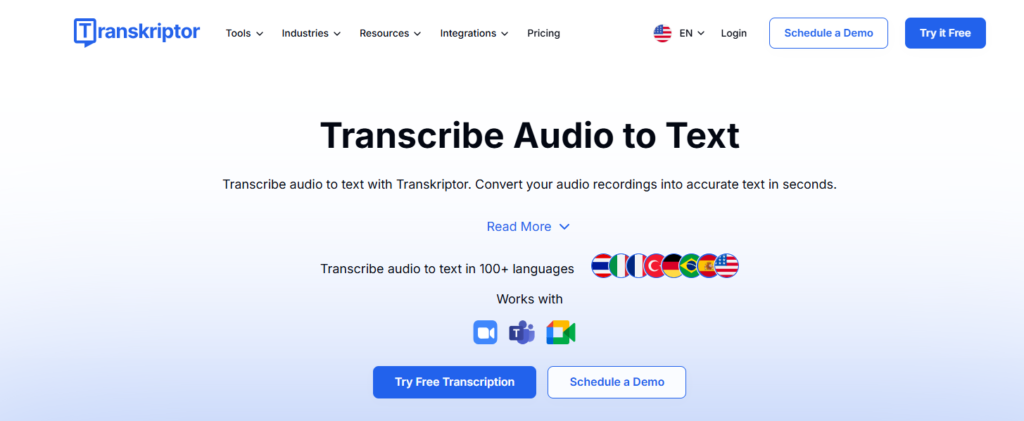
Transkriptor is a smart AI tool that turns audio and video into written text. It is fast, simple, and built for everyday users and professionals. In 2026, tools like Transkriptor are very important because people create more audio content than ever. Meetings, interviews, podcasts, and classes all need quick transcription.
Instead of typing everything manually, Transkriptor does the work in minutes. It saves time and improves productivity. It is useful for students, content creators, business teams, and many more. If you deal with audio often, this tool can make your life easier.
What is Transkriptor?
Transkriptor is an AI-powered transcription and summarization tool. It converts spoken words into text with high accuracy. It also helps users organize and summarize that text.
The main problem it solves is time. Manual transcription takes hours. Transkriptor reduces that to minutes. It also reduces human error and improves clarity. Its key purpose is simple:
- Turn speech into text
- Make content easy to read and share
- Help users understand long conversations quickly
It supports more than 100 languages, which makes it useful worldwide.
How Does Transkriptor Work?
Core Technology Behind Transkriptor
Transkriptor uses advanced AI and speech recognition technology. It listens to audio and understands spoken words. The system is trained on large datasets, which helps it recognize accents and languages. It also uses natural language processing (NLP). This helps it understand sentence structure and context.
How It Processes User Input
Users upload audio or video files. You can also record directly inside the platform. Once uploaded:
- The system scans the audio
- It detects speech patterns
- It separates speakers (in many cases)
How It Generates Output
After processing, Transkriptor creates a clean text file. You can:
- Edit the text
- Export it in different formats
- Use AI to generate summaries
The output is ready in a short time, often faster than the audio length.
What Can You Do with Transkriptor?
Transkriptor offers many useful features. It is more than just a transcription tool. Here’s what you can do:
- Convert meetings into written notes
- Turn interviews into articles
- Create subtitles for videos
- Summarize long recordings
- Translate content into other languages
Example: A YouTuber can upload a video and get subtitles instantly. A student can record a lecture and turn it into notes. It saves effort and helps you reuse content in different ways.
How Are People Using Transkriptor?
People from many fields use Transkriptor daily. Here are some common examples:
- Journalists: Transcribe interviews quickly
- Students: Turn lectures into notes
- Legal professionals: Record and review hearings
- Doctors: Convert voice notes into reports
- Podcasters: Create written transcripts for SEO
- Language learners: Practice listening and writing
Real-world example: A content writer records ideas on phone. Then uses Transkriptor to turn them into a blog draft.
How to Use Transkriptor?
Step-by-Step Guide
- Sign up on the platform
- Upload audio or record directly
- Select language
- Start transcription
- Edit the text if needed
- Export or share the file
Tips for Beginners
- Use clear audio for better results
- Choose the correct language
- Review and edit after transcription
Common Mistakes to Avoid
- Uploading noisy audio
- Ignoring speaker labels
- Not checking final output
How to Access Transkriptor?
Transkriptor is available on multiple platforms. You can access it through:
- Web browser
- Mobile apps
- API (for developers and teams)
It works online, so no heavy setup is needed. You can use it from anywhere with internet access.
Key Features of Transkriptor
Transkriptor offers powerful features that make it stand out:
- Automatic transcription with high accuracy
- Support for 100+ languages
- Export options (PDF, TXT, Word, SRT)
- Collaboration tools for teams
- Built-in recording feature
- AI meeting assistant
- AI chat assistant for summaries
These features help both individuals and teams work faster.
Transkriptor Pricing
Free Plan
There is no clear full free plan. Sometimes a trial or limited access may be available.
Paid Plans
Pro Plan:
- $19.99/month
- 2,400 transcription minutes
- Full features included
Team Plan:
- $30/month per seat
- 3,000 minutes per user
- Team collaboration tools
Enterprise Plan:
- Custom pricing
- API access
- Custom workflows
- Advanced security
Is Transkriptor Worth It?
Yes, if you use transcription regularly. It saves time and improves workflow.
Rating Summary
Here is a quick rating overview:
- Ease of Use: 4.5/5
- Features: 4.6/5
- Pricing: 4.7/5
- Overall: 4.6/5
It performs well in most areas.
Benefits of Transkriptor
Transkriptor offers many advantages:
- Saves hours of manual work
- High accuracy (up to 99%)
- Easy to use interface
- Supports many languages
- Great for teamwork and sharing
It helps you focus on important tasks instead of typing.
Limitations of Transkriptor
No tool is perfect. Transkriptor also has some drawbacks:
- Takes time to learn all features
- Limited integrations compared to some tools
- Accuracy depends on audio quality
If audio is unclear, results may need editing.
How Accurate is Transkriptor?
Transkriptor can reach up to 99% accuracy. This depends on the quality of the audio. For best results:
- Use clear recordings
- Avoid background noise
- Speak clearly
In most cases, the output is very reliable. Small edits may still be needed.
Best Alternatives to Transkriptor
There are other tools in the market. Here are some popular alternatives:
- Adobe Podcast: Adobe Podcast helps users improve audio quality, remove noise, and create professional podcast recordings easily.
- Descript: Descript combines transcription, video editing, screen recording, and AI voice tools in one simple platform.
- timeOS: timeOS automatically records meetings, creates summaries, and organizes action items for better productivity.
- MeetGeek: MeetGeek records online meetings, generates transcripts, and provides AI-powered meeting insights and summaries.
Each tool has its strengths. Transkriptor stands out for balance between price and features.
Latest Updates
In 2026, Transkriptor has improved its AI features. Recent updates include:
- Better language recognition
- Faster transcription speed
- Improved AI summaries
- Enhanced collaboration tools
It is becoming more than just a transcription tool. It is now a full productivity assistant.
FAQs
Is Transkriptor free?
It may offer a limited trial. Full features require a paid plan.
Is it safe to use?
Yes, it focuses on data privacy and security. It is suitable for professional use.
Who should use it?
Anyone who works with audio. Students, professionals, and creators can all benefit.
What makes it different?
Its combination of transcription, summarization, and collaboration tools makes it unique.
Transkriptor is a simple yet powerful tool. It helps you turn audio into useful content quickly. If you want to save time and work smarter, it is a great option to try in 2026.
Final Words,
Transkriptor is a helpful AI tool for anyone who works with audio or video content. It saves time, improves productivity, and makes information easier to manage. With transcription, summaries, and multilingual support in one platform, it is a smart choice in 2026. Whether for study, business, or content creation, Transkriptor offers practical everyday value.
Transkriptor Reviews
No reviews yet. Be the first to comment!
Best Transkriptor Alternatives AI

What is PDF.ai? How It Works, Use Cases & Alternatives Managing PDF…

What is Genei? How It Works, Use Cases & Alternatives In 2026,…

What is Recall? How It Works, Use Cases & Alternatives In 2026,…

What is TLDR This? How It Works, Use Cases & Alternatives In…

What is Skipit.ai? How It Works, Use Cases & Alternatives Skipit.ai is…

What is AI Lawyer? How It Works, Use Cases & Alternatives Legal…

What is Elicit? How It Works, Use Cases & Alternatives Elicit is…

What is Perplexity? How It Works, Use Cases & Alternatives Perplexity is…
Leave a Reply