

 Verified

What is Talknotes? How It Works, Use Cases & Alternatives Talknotes is a smart AI tool that turns your voice […]
AI Categories: Personal Assistant, Summarizer, Transcriber,
AI Tags: #personal assistant #summarizer #transcriber
What is Talknotes? How It Works, Use Cases & Alternatives
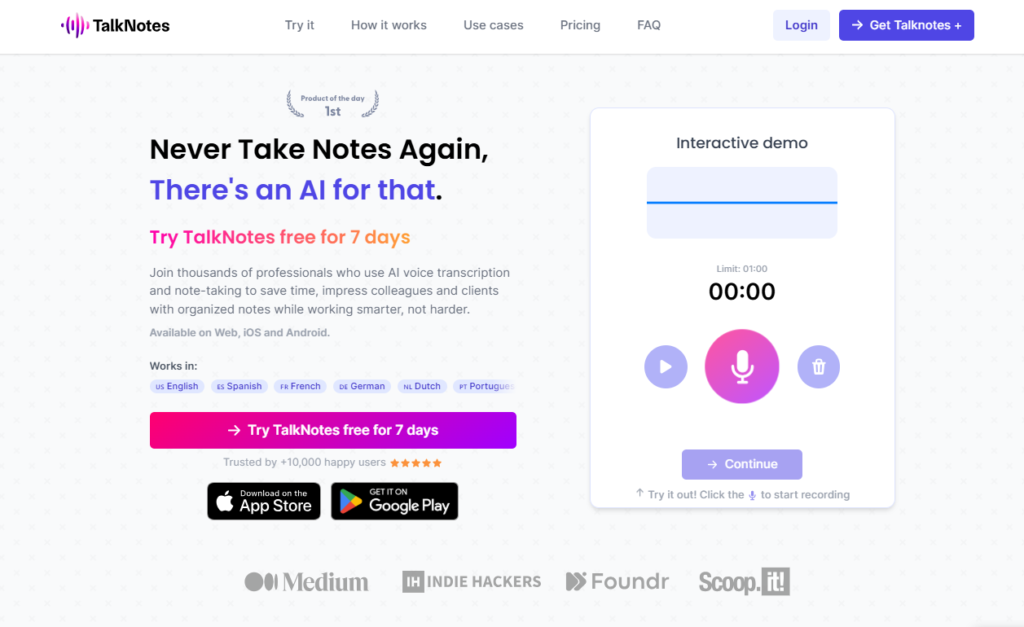
Talknotes is a smart AI tool that turns your voice into clear and useful notes. You can speak, and it will write everything for you. This saves time and reduces manual typing. In 2026, tools like Talknotes are becoming very popular. People want faster ways to work and stay organized.
This tool is helpful for busy professionals, students, and creators. It helps you capture ideas instantly. You do not need to worry about forgetting anything important. Talknotes makes note-taking simple and efficient. If you want to boost your productivity and manage tasks easily, Talknotes can be a great choice.
What is Talknotes?
Talknotes is an AI-powered voice note app. It listens to your speech and converts it into text. It also organizes your notes into useful formats.
The main problem it solves is slow and messy note-taking. Writing notes manually takes time and effort. Sometimes, you miss important details. Talknotes fixes this by recording and transcribing everything.
Its key purpose is to help users capture ideas quickly. It also helps organize thoughts in a clear way. Whether it is a meeting or a personal idea, Talknotes keeps everything in one place.
How Does Talknotes Work?
Core Technology Behind Talknotes
Talknotes uses advanced AI and speech recognition technology. It understands different languages and accents. This makes it useful for global users. The system also uses natural language processing. This helps it understand context and meaning. So the output feels natural and readable.
How It Processes User Input
You simply speak into the app. Talknotes records your voice in real time. Then it converts the audio into text. It can also detect pauses and sentence structure. This helps create clean and structured notes. You do not need to edit much.
How It Generates Output
After processing, Talknotes gives you organized notes. You can choose different formats. For example:
- Task lists
- Emails
- Journal entries
This makes your notes ready to use instantly.
What Can You Do with Talknotes?
Talknotes offers many useful features for daily tasks. You can use it in different ways depending on your needs. Here are some common things you can do:
- Record meetings and get instant transcripts
- Turn ideas into blog drafts
- Create to-do lists from voice input
- Write emails without typing
- Save personal thoughts as journal entries
For example, a content creator can speak ideas while walking. Talknotes will turn those ideas into a draft. This saves time and keeps creativity flowing. It is a simple tool, but it can handle many tasks.
How Are People Using Talknotes?
People from different fields are using Talknotes daily. It fits many work styles and needs. Corporate professionals use it for meetings. They record discussions and get clear notes. This helps in planning tasks. Students use Talknotes to record lectures. They can focus on listening instead of writing. Later, they review the notes easily.
Content creators use it for brainstorming. They speak ideas and convert them into content. This makes the process faster. Journalists use it for interviews. They get accurate transcripts quickly.
Therapists and authors also use Talknotes. Therapists record session notes. Authors draft stories using voice. These real-world uses show how flexible Talknotes is.
How to Use Talknotes?
Step-by-Step Guide
Using Talknotes is simple:
- Open the app or website
- Start recording your voice
- Speak clearly
- Stop recording when done
- Let the AI process your speech
- Choose your preferred format
- Save or share your notes
Tips for Beginners
- Speak slowly and clearly
- Use short sentences
- Choose the right format for your notes
- Review notes once before sharing
Common Mistakes to Avoid
- Speaking too fast
- Ignoring punctuation pauses
- Not checking final output
- Using noisy environments
Following these tips will improve your results.
How to Access Talknotes?
Talknotes is available on multiple platforms. This makes it easy to use anywhere. You can access it on:
- Web browsers
- iOS devices
- Android devices
This cross-platform support gives flexibility. You can switch between devices easily. There is no need for a complex setup. Just log in and start using it.
Key Features of Talknotes
Talknotes offers powerful features that make it stand out:
- Multi-language support
Supports over 50 languages for global users - Customizable note styles
Choose formats like emails, lists, or journals - High accuracy transcription
Provides up to 99% accuracy - Easy sharing and exporting
Share via link or export as PDF and Markdown - Cross-platform availability
Works on web and mobile devices
These features make Talknotes flexible and user-friendly.
Talknotes Pricing
Free Plan
Talknotes does not offer a free plan.
Paid Plans
- Monthly plan: $9.99 for the first month, then $19.97 per month
- Yearly plan: $197 per year (about $16 per month)
Is Talknotes Worth It?
If you use voice notes daily, it is worth the price. It saves time and improves productivity. For occasional users, the cost may feel high. But for professionals, it offers good value.
Rating Summary
Here is a quick rating overview:
- Ease of Use: 4.5/5
- Features: 4.7/5
- Pricing: 4.3/5
- Overall: 4.6/5
These ratings show that Talknotes is reliable and efficient.
Benefits of Talknotes
Talknotes offers many practical benefits:
- Saves time on note-taking
- Reduces manual typing
- Improves organization
- Works across devices
- Helps capture ideas instantly
It is a simple tool that makes daily work easier.
Limitations of Talknotes
Like any tool, Talknotes has some drawbacks:
- Needs internet connection
- No free plan
- Takes time to learn all features
These limitations are small but important to consider.
How Accurate is Talknotes?
Talknotes offers high accuracy in transcription. It can reach up to 99% accuracy. It works well with clear speech. Background noise can affect results. The AI also understands context. This improves sentence quality. Overall, it is reliable for most daily tasks.
Best Alternatives to Talknotes
There are some good alternatives to Talknotes. Each has its own strengths.
- WatchNow AI
Good for quick AI-powered content and automation - Casper AI
Focuses on productivity and content assistance - Microsoft Bing
Offers AI tools with search integration - timeOS
Great for meeting notes and scheduling
These tools can be useful depending on your needs.
Latest Updates (2026)
In 2026, Talknotes continues to improve. It is becoming smarter and faster. Recent trends include better AI accuracy and faster processing. More language support is also being added.
Integration with other tools is improving. This helps users connect workflows easily. These updates make Talknotes more powerful over time.
FAQs
Is Talknotes free?
No, Talknotes does not offer a free plan. It only has paid options.
Is it safe to use?
Yes, it uses secure systems to protect your data.
Who should use it?
Professionals, students, creators, and anyone who wants faster note-taking.
What makes it different?
Its ability to turn voice into structured notes in different formats makes it unique.
Conclusion
Talknotes is a powerful AI tool for turning voice into clear, structured notes. It helps save time and improve productivity in daily tasks. With strong features and high accuracy, it fits many users. If you want simple and fast note-taking, Talknotes is a smart and reliable choice in 2026.
Talknotes Reviews
No reviews yet. Be the first to comment!
Best Talknotes Alternatives AI

What is PDF.ai? How It Works, Use Cases & Alternatives Managing PDF…

What is Genei? How It Works, Use Cases & Alternatives In 2026,…

What is Recall? How It Works, Use Cases & Alternatives In 2026,…

What is TLDR This? How It Works, Use Cases & Alternatives In…

What is Skipit.ai? How It Works, Use Cases & Alternatives Skipit.ai is…

What is AI Lawyer? How It Works, Use Cases & Alternatives Legal…

What is Elicit? How It Works, Use Cases & Alternatives Elicit is…

What is Perplexity? How It Works, Use Cases & Alternatives Perplexity is…
Leave a Reply