

 Verified

What is Motion? How It Works, Use Cases & Alternatives Productivity tools are changing fast in 2026. People now want […]
AI Categories: Fitness, Health, Personal Assistant,
AI Tags: #fitness #health #personal assistant
What is Motion? How It Works, Use Cases & Alternatives
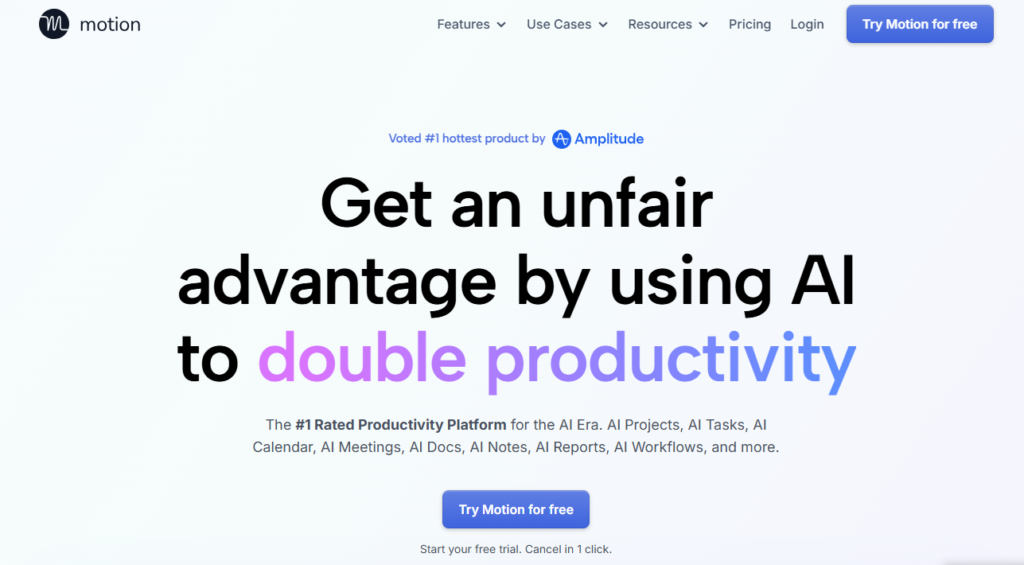
Productivity tools are changing fast in 2026. People now want tools that can plan their day automatically, not just store tasks. That is where Motion comes in. It is an AI-powered assistant that manages schedules, tasks, and projects in one place.
Instead of manually planning your work, Motion builds a smart daily plan for you. It adjusts tasks when meetings change or deadlines move. This saves time and reduces stress for busy professionals.
Motion is useful for freelancers, teams, business owners, and students. Anyone who wants better time management can benefit from it. In today’s fast work environment, tools like Motion help people stay organized and focused.
What is Motion?
Motion is an AI-powered personal assistant and project management tool. It automatically schedules tasks, organizes projects, and manages calendars. The main goal of Motion is to help users work smarter, not harder.
Many people struggle with planning their day. They forget tasks, miss deadlines, or feel overwhelmed. Motion solves this problem by creating a clear schedule automatically. It decides what task to do next based on priority and deadlines. The key purpose of Motion is simple:
- Save time on planning
- Improve productivity
- Reduce stress
- Keep work organized
For example, if you have five tasks due this week, Motion will place them into your calendar. If a meeting is added, it will move tasks to another suitable time. Everything updates automatically.
How Does Motion Work?
Motion uses artificial intelligence to manage schedules and tasks. It studies your deadlines, priorities, and availability. Then it creates the best possible plan for your day.
Core Technology Behind Motion
Motion uses smart scheduling algorithms. These algorithms analyze:
- Task deadlines
- Task importance
- Available time
- Meeting schedules
- Workload capacity
The system then creates a balanced plan. This plan ensures you complete important tasks on time without overloading your schedule.
How It Processes User Input
Users provide simple information such as:
- Task name
- Deadline
- Estimated time
- Priority level
Motion collects this data and organizes it. It checks your calendar and finds the best time slots. It also updates plans when changes happen. For example: You add a task called “Finish report” with a deadline on Friday. Motion will automatically schedule time to complete it before the deadline.
How It Generates Output
The output is a clear and organized schedule. Motion displays tasks directly on your calendar. It also updates the schedule in real time. If a meeting gets canceled, Motion may move another task into that free time. This keeps your day productive and flexible.
What Can You Do with Motion?
Motion offers many practical features for daily work. It helps both individuals and teams manage tasks easily. Here are the main things you can do with Motion:
- Automatically schedule tasks
- Plan projects step by step
- Organize meetings
- Track deadlines
- Manage team workload
- Focus on important work
For example, a freelancer can use Motion to manage multiple clients. The tool will schedule tasks for each client automatically. A student can use Motion to plan study sessions before exams. The system will create a study schedule based on available time. Motion works like a digital planner that thinks for you.
How Are People Using Motion?
People from many industries use Motion every day. It is helpful for both small teams and large companies.
Here are common real-world use cases:
Freelancers
- Manage client projects
- Track deadlines
- Plan daily work
Marketing Teams
- Schedule campaigns
- Assign tasks to team members
- Monitor progress
Software Developers
- Plan coding tasks
- Organize sprint schedules
- Track project timelines
Business Owners
- Manage meetings
- Plan business tasks
- Balance workload
Students
- Schedule study time
- Track assignments
- Prepare for exams
For example, a design agency may handle ten projects at once. Motion helps them organize tasks and deadlines without confusion.
How to Use Motion?
Using Motion is simple. Most users can start within a few minutes.
Step-by-Step Guide
Follow these basic steps:
- Create an account on the Motion website
- Connect your calendar
- Add tasks and deadlines
- Set priorities
- Let Motion schedule your work
After setup, Motion will automatically create your daily plan.
Tips for Beginners
- Start with a few tasks first
- Set realistic deadlines
- Update tasks regularly
- Check your schedule daily
These small habits help Motion work better.
Common Mistakes to Avoid
- Adding too many tasks at once
- Setting unrealistic deadlines
- Ignoring schedule updates
- Not reviewing priorities
Avoiding these mistakes will improve productivity.
How to Access Motion?
Motion is available online. You can use it from any device with internet access.
Here are the main access options:
- Web browser
- Desktop computer
- Laptop
- Tablet
Motion also connects with popular tools such as:
- Google Calendar
- Outlook Calendar
- Zoom
- Gmail
This integration makes workflow simple and smooth. You do not need to switch between many apps. Motion is currently used worldwide. Many remote teams rely on it for daily planning.
Key Features of Motion
Motion includes powerful features that make work easier. Each feature focuses on saving time and improving organization.
Task Scheduling
Motion automatically places tasks into your calendar. You do not need to plan manually.
Task Prioritization
The system decides which task is most important. It helps you focus on urgent work.
Project Management
Motion breaks big projects into smaller steps. This makes projects easier to manage.
Automated Meeting Scheduling
Motion finds the best meeting time. It checks availability and avoids conflicts.
Workload Reporting
You can see how busy your schedule is. This helps prevent overwork.
Calendar Syncing
Motion combines all calendars into one view. Everything stays organized in one place.
Real-Time Updates
Schedules change automatically when tasks or meetings change.
Team Collaboration
Teams can share tasks and track progress together. These features make Motion a complete productivity solution.
Motion Pricing
Motion uses a subscription-based pricing model. Users can choose plans based on their needs.
Free Plan
Motion offers a free trial. This allows new users to test features before paying. The trial is useful for:
- Exploring the tool
- Testing scheduling features
- Checking compatibility
Paid Plans
Paid plans usually include:
- Full task automation
- Team collaboration tools
- Advanced scheduling features
- Priority support
Prices may vary depending on the number of users and features.
Is It Worth It?
For many users, Motion is worth the cost. It saves time and improves productivity. Businesses often recover the cost through better efficiency. If you manage many tasks daily, Motion can be a valuable investment.
Rating Summary
Here is a simple rating overview for Motion:
- Ease of Use: 4.5 / 5
- Features: 4.7 / 5
- Pricing: 4.6 / 5
- Performance: 4.6 / 5
- Overall Rating: 4.6 / 5
These ratings show that Motion is reliable and effective for productivity management.
Benefits of Motion
Motion provides many practical advantages for daily work. Here are the main benefits:
- Saves planning time
- Reduces stress
- Improves productivity
- Prevents missed deadlines
- Keeps tasks organized
- Supports teamwork
- Increases focus
For example, a manager can save hours each week by letting Motion schedule meetings automatically. Another benefit is better work-life balance. Motion helps users avoid overbooking their schedule.
Limitations of Motion
No tool is perfect. Motion also has some limitations. Here are the common drawbacks:
- Requires internet connection
- Learning curve for new users
- Limited integrations compared to some tools
- Subscription cost may be high for small users
Some people prefer manual planning. They may find automated scheduling difficult at first. However, most users adapt quickly after regular use.
How Accurate is Motion?
Motion is known for reliable scheduling and planning. It uses data and smart algorithms to make decisions. The tool is accurate because it considers:
- Deadlines
- Task duration
- Calendar availability
- Workload balance
Most users report:
- Fewer missed deadlines
- Better time management
- Improved productivity
Motion also updates schedules automatically. This keeps plans accurate even when changes happen.
Overall, Motion performs consistently in real-world situations.
Best Alternatives to Motion
Some users may want to explore other productivity tools. Here are popular alternatives to Motion.
Dream Interpreter
Dream Interpreter focuses on AI-based analysis and insights. It is useful for personal reflection and creative thinking.
Jetwriter AI
Jetwriter AI helps users generate written content quickly. It is popular among bloggers and marketers.
Notion AI
Notion AI combines note-taking, task management, and AI assistance. It is flexible and widely used by teams.
Strengths:
- Customizable workspace
- Strong collaboration tools
- Good integration options
Socratic by Google
Socratic by Google is an AI learning tool for students. It helps solve academic problems and explain concepts. Strengths:
- Educational support
- Easy-to-use interface
- Helpful explanations
Each alternative serves different needs. Motion remains the best choice for automated scheduling and workflow management.
Latest Updates (2026)
Motion continues to improve with new features in 2026. Developers are focusing on automation and smarter planning. Recent updates include:
- Faster scheduling performance
- Improved calendar synchronization
- Better workload prediction
- Enhanced team collaboration tools
- More flexible task management
These improvements make Motion more reliable for modern workplaces. The trend in 2026 shows growing demand for AI productivity assistants. Motion is part of this growing technology movement.
FAQs
Is Motion free?
Motion is not fully free. It offers a free trial for new users. After the trial, users need a subscription plan.
Is it safe to use?
Yes, motion is considered safe. It uses secure systems to protect user data and privacy.
Who should use it?
Motion is suitable for:
- Freelancers
- Students
- Business owners
- Remote teams
- Project managers
Anyone with busy schedules can benefit from using Motion.
What makes it different?
Motion stands out because it automatically plans your day. Most tools only store tasks. Motion actively schedules them.
Final Words,
Motion is a reliable AI productivity tool for anyone who wants smarter planning and better workflow management. This smart automation saves time and reduces stress. That is why many professionals choose Motion in 2026. It helps people stay organized, meet deadlines, and focus on important work every day.
Motion Reviews
No reviews yet. Be the first to comment!
Best Motion Alternatives AI

What is Promptless? How It Works, Use Cases & Alternatives In modern…

What is Tana? How It Works, Use Cases & Alternatives In 2026,…

What is Notebook AI? How It Works, Use Cases & Alternatives In…

What is Hyprnote? How It Works, Use Cases & Alternatives In 2026,…

What is Cake Resume Checker? How It Works, Use Cases & Alternatives …

What is Syft? How It Works, Use Cases & Alternatives The internet…

What is LiftmyCV? How It Works, Use Cases & Alternatives Job searching…

What is Integrity? How It Works, Use Cases & Alternatives Integrity is…
Leave a Reply