

 Verified

What is NativeMind? How It Works, Use Cases & Alternatives NativeMind is a modern AI tool that runs directly inside […]
AI Categories: Personal Assistant,
AI Tags: #personal assistant
What is NativeMind? How It Works, Use Cases & Alternatives
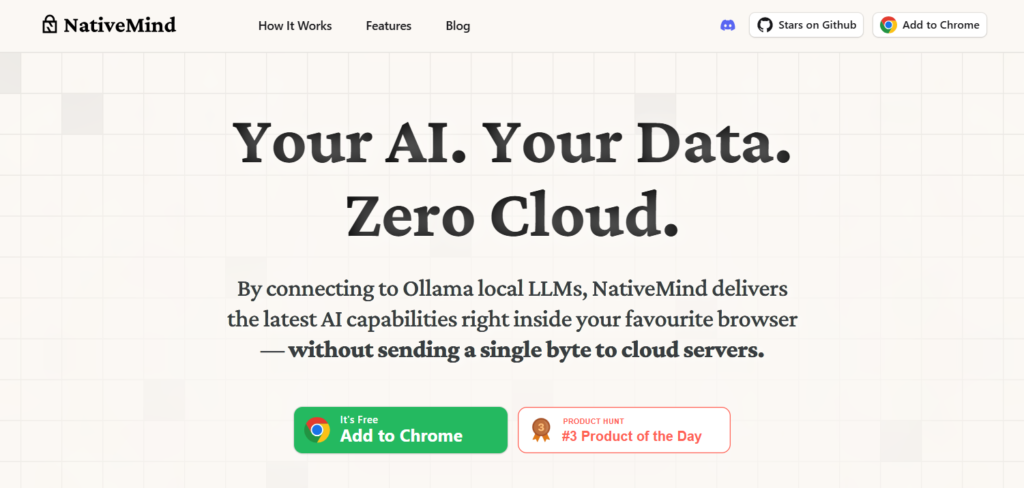
NativeMind is a modern AI tool that runs directly inside your browser. It does not depend on cloud servers, which makes it very different from most AI tools today. Instead, it works fully on your device and keeps all data private.
In 2026, privacy has become a big concern for users. Many people do not want their data sent to external servers. NativeMind solves this problem by offering a fully offline AI experience.
This tool is useful for students, developers, researchers, and anyone who wants safe and private AI usage. It is also open-source, so users can inspect and customize it.
What is NativeMind?
NativeMind is an on-device AI browser assistant that uses local large language models (LLMs) to run AI tasks without cloud access. It helps users perform tasks like summarizing web pages, translating content, and chatting across tabs while keeping everything local.
The main problem it solves is data privacy. Most AI tools send data to cloud servers, but NativeMind keeps everything inside your system. This gives users full control over their information. Its key purpose is to deliver fast, private, and offline AI assistance without requiring internet-based processing.
How Does NativeMind Work?
Core Technology Behind NativeMind
NativeMind uses local LLMs such as Llama, DeepSeek, Qwen, Gemma, and Mistral. These models run directly on your device instead of external servers. It also integrates with tools like Ollama to manage models efficiently on local hardware.
How It Processes User Input
When you enter a prompt, NativeMind processes it inside your system. The input is analyzed by a selected local model. No data is sent to the cloud. This makes it ideal for sensitive tasks like private research or confidential writing.
How It Generates Output
After processing, the model generates a response locally. The output is delivered directly inside your browser interface. This process ensures fast responses, even without internet access.
What Can You Do with NativeMind?
NativeMind offers many useful capabilities for daily work and research. You can:
- Summarize long articles instantly
- Chat with AI across multiple tabs
- Translate web pages in real time
- Run local AI searches
- Ask questions without sending data online
For example, a student can open a research paper and ask NativeMind to summarize it instantly without copying text into another tool.
How Are People Using NativeMind?
NativeMind is used in different industries because of its privacy-first design. Common real-world uses include:
- Developers testing local AI models securely
- Journalists analyzing sensitive documents
- Students summarizing study materials offline
- Researchers handling confidential datasets
- Businesses using AI without data exposure risks
For example, a journalist can analyze leaked documents safely without uploading them to a cloud AI system.
How to Use NativeMind?
Step-by-Step Guide
- Install NativeMind in your browser
- Connect it with a local LLM tool like Ollama
- Choose your preferred AI model
- Open any webpage or input box
- Start using AI features like chat or summarization
Tips for Beginners
- Start with lightweight models like Mistral for better speed
- Use simple prompts at first
- Keep your system updated for better performance
Common Mistakes to Avoid
- Using heavy models on low-end devices
- Not configuring local LLM properly
- Expecting cloud-level speed on weak hardware
How to Access NativeMind?
NativeMind is mainly available as a browser-based extension or local setup tool. It supports:
- Web browser integration
- Local AI model runners
- Developer-based setups
It is fully free and open-source, so anyone can install it without subscription fees or account creation.
Key Features of NativeMind
NativeMind comes with powerful features designed for privacy-focused users:
- 100% on-device processing for full privacy
- Open-source architecture for transparency
- Local LLM support including DeepSeek, Llama, and Qwen
- Web page summarization for faster reading
- Cross-tab AI chat for multitasking
- Local search without cloud dependency
- Immersive translation for multilingual browsing
These features make NativeMind powerful for both casual and advanced users.
NativeMind Pricing
Free Plan
NativeMind is completely free. There is no subscription or payment required.
Paid Plans
Currently, there are no paid plans available.
Is It Worth It?
Yes, it is worth it for users who care about privacy and offline AI. However, it may require a strong system for smooth performance.
Rating Summary
- Ease of Use: 4.2/5
- Features: 4.6/5
- Pricing: 5/5
- Performance: 4.5/5
- Overall: 4.6/5
Benefits of NativeMind
NativeMind provides many practical advantages:
- Full data privacy with no cloud tracking
- Works offline without internet
- Free to use for everyone
- Fast local processing for supported hardware
- Open-source flexibility for developers
Limitations of NativeMind
Even though NativeMind is powerful, it has some drawbacks:
- Setup can be difficult for beginners
- Needs strong hardware for best performance
- Not as fast as cloud-based AI in all cases
- Requires manual configuration of local models
How Accurate is NativeMind?
NativeMind’s accuracy depends on the local model you use. Advanced models like Llama or DeepSeek provide strong performance. However, since it runs locally, results may vary based on your system power and model selection. Overall, it is reliable for general AI tasks like writing, summarizing, and translation.
Best Alternatives to NativeMind
If NativeMind does not fit your needs, you can try these alternatives:
Dream Interpreter
Focused on dream analysis and symbolic interpretation. It is more niche but simple to use.
Jetwriter AI
A writing-focused AI tool that helps generate content quickly. Good for bloggers and marketers.
Notion AI
A productivity AI inside Notion. Great for note-taking, summaries, and team collaboration.
Socratic by Google
An educational AI tool that helps students solve questions and understand topics easily.
Each alternative has its own strength, but they rely more on cloud systems compared to NativeMind.
Latest Updates
In 2026, NativeMind trends are moving toward better local model support and improved browser integration. Key improvements include:
- Faster local inference speed
- Better integration with newer LLMs
- Improved browser-side AI features
- More stable offline performance
The focus is still strongly on privacy and on-device computing.
FAQs
Is NativeMind free?
Yes, NativeMind is completely free and open-source.
Is it safe to use?
Yes, it is safe because it runs fully on your device without sending data to the cloud.
Who should use it?
Developers, students, researchers, and privacy-focused users should use it.
What makes it different?
Its main difference is full on-device processing with zero cloud dependency.
Final Thoughts
NativeMind is a powerful solution for users who want private, offline AI assistance. It stands out because it does not rely on cloud servers and keeps all data local.
While it may require setup effort and stronger hardware, it offers unmatched privacy and control. For users in 2026 who value security, NativeMind is one of the most interesting AI tools available today.
NativeMind Reviews
No reviews yet. Be the first to comment!
Best NativeMind Alternatives AI

What is Promptless? How It Works, Use Cases & Alternatives In modern…

What is Tana? How It Works, Use Cases & Alternatives In 2026,…

What is Notebook AI? How It Works, Use Cases & Alternatives In…

What is Hyprnote? How It Works, Use Cases & Alternatives In 2026,…

What is Cake Resume Checker? How It Works, Use Cases & Alternatives …

What is Syft? How It Works, Use Cases & Alternatives The internet…

What is LiftmyCV? How It Works, Use Cases & Alternatives Job searching…

What is Integrity? How It Works, Use Cases & Alternatives Integrity is…
Leave a Reply